Box Leagues
The leagues cater for a variety of playing standards and hopefully you should find yourself in a league with players of similar ability. The current Box League can be found here:
Hampton in Arden Pickleball Club – Box League Autumn 2026
Completed Box Leagues:
Hampton in Arden Pickleball Club – Box League Summer 2026
Hampton in Arden Pickleball Club – Box League Spring 2026
Hampton in Arden Pickleball Club – Box League Winter 2026
Hampton in Arden Pickleball Club – Box League Autumn 2025
Rules
Welcome to the Pickleball Box Leagues doubles competition! Whether you are men, ladies, or mixed pairs we hope you will enjoy the competition.
Format
- Match Period: All matches are to be played between the dates specifies when each box is announced.
- Pairing: Teams can be made up of men, ladies, or mixed pairs—everyone is welcome in the box league.
- If you enter the box league as a new pair, then you enter the lowest league. For clarification if you have played in the box leagues before and your new partner has not then you enter the lowest league.
- If you change partners when a league is finished and you enter the next round of Box Leagues with a player from the same league, then you will remain in that league.
- If you change partners when a league is finished and you enter the box league with a player from a lower league, then you will play as a pair in that lower league.
- If a pair withdraws from a Box League after playing one match or more their results are expunged from the league to avoid distorting the overall results.
- When we have 2 or more Box Leagues and there is an odd number of pairs then the leagues will be balanced as evenly as possible and the number in each league will be agreed by the committee.
- Review: We will review the format and gather feedback at the end of each box league to refine future competitions.
- NEW (5th August 2026)! If a pair cancels a scheduled box league match less than one hour before the agreed start time, the match will be recorded as a forfeit by the cancelling pair. The non-cancelling pair will be awarded the match in accordance with the league scoring system. The League Organiser reserves the right to waive this rule in exceptional circumstances, such as a genuine medical emergency or other unforeseen events, at their sole discretion.
Scoring System
- Participation Points: Each pair that plays a match receives 1 point simply for participating in the match.
- Match Structure: Matches will consist of 3 games, with each game played to 11 points with 2 clear points using traditional Pickleball scoring.
- In the third game players will switch ends after the first pair reaches 6 points.
- When you enter your results, the grid will automatically award the extra point for participation. For example, you enter the result of say 2-1, the score will appear as 3-2, a result of 3-0 will appear as 4-1 and so on.
How to enter
If you want to be included in subsequent box leagues, please contact us at: boxleagues@hamptontennis.org.uk
How to enter Scores
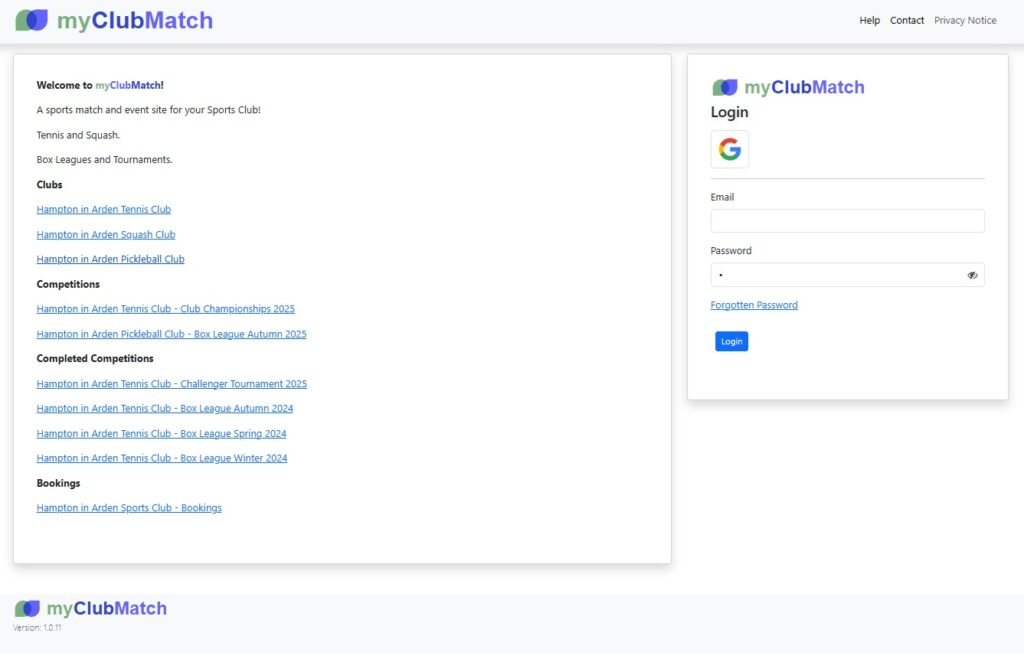
Go to: myclubmatch.com
Under ‘Clubs‘, click on ‘Hampton in Arden Pickleball Club‘. Note: Using the form on the right will log you into your ‘default’ club, which may not be the Pickleball Club. See switching clubs below.
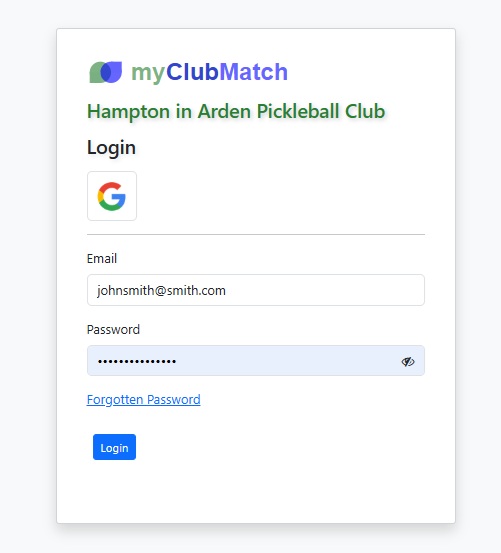
A dialog will appear to enter your email and password. Please check that the title is ‘Hampton in Arden Pickleball Club‘. If you have never logged into this system before or have forgotten your password, please use the ‘Forgotten Password’ link.
Once logged in you should see a home page like the following:
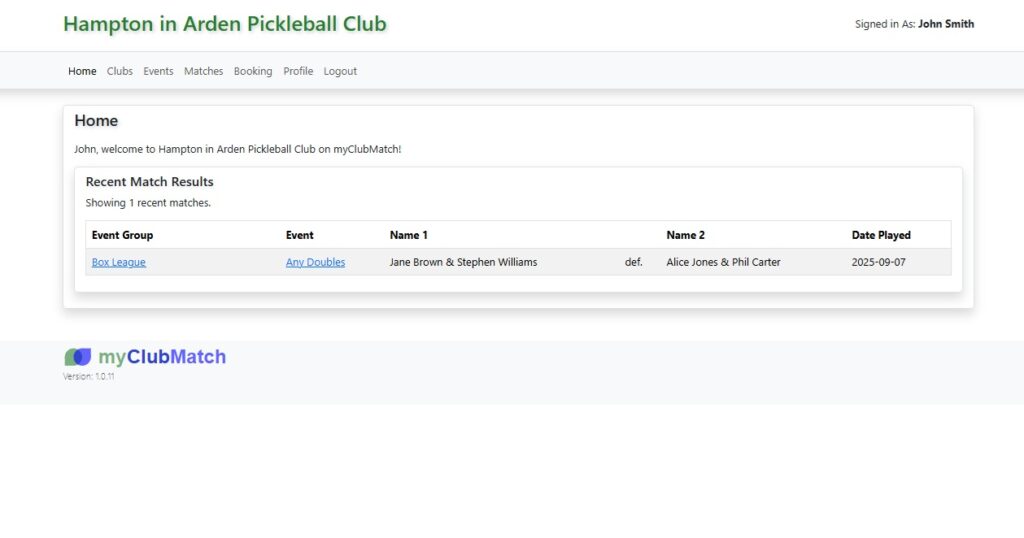
To view the matches that you have been scheduled to play, click on ‘Matches’.
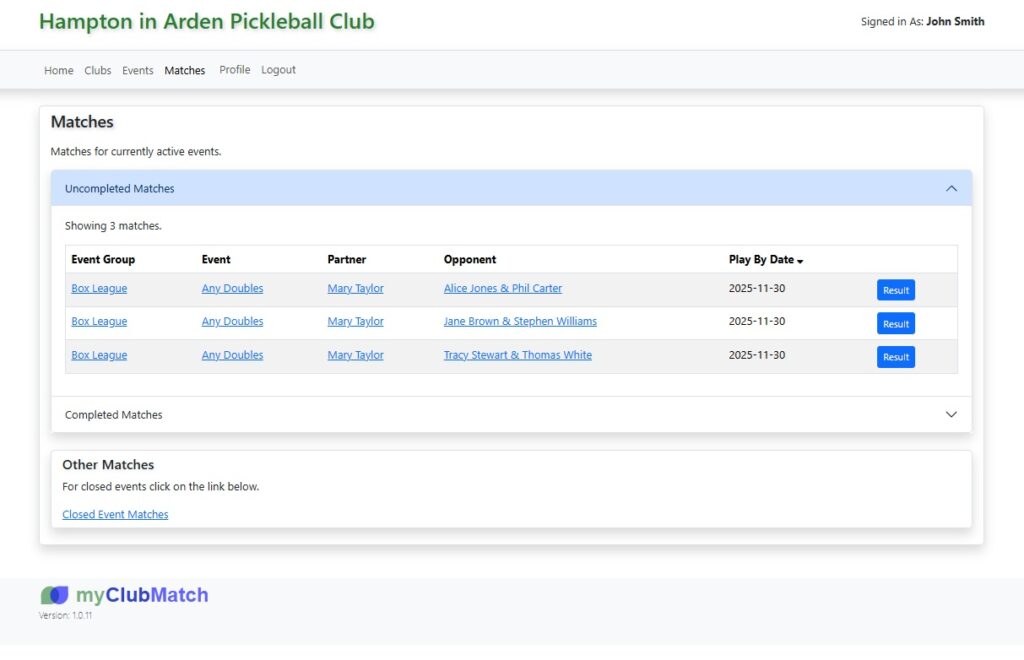
The ‘Matches’ page shows uncompleted and completed matches. Click on the arrow on the right to open each section. The uncompleted matches table shows details about the event that the match belongs to, your partner and the names of the people you need to play. Click on ‘Result’ to enter a score.
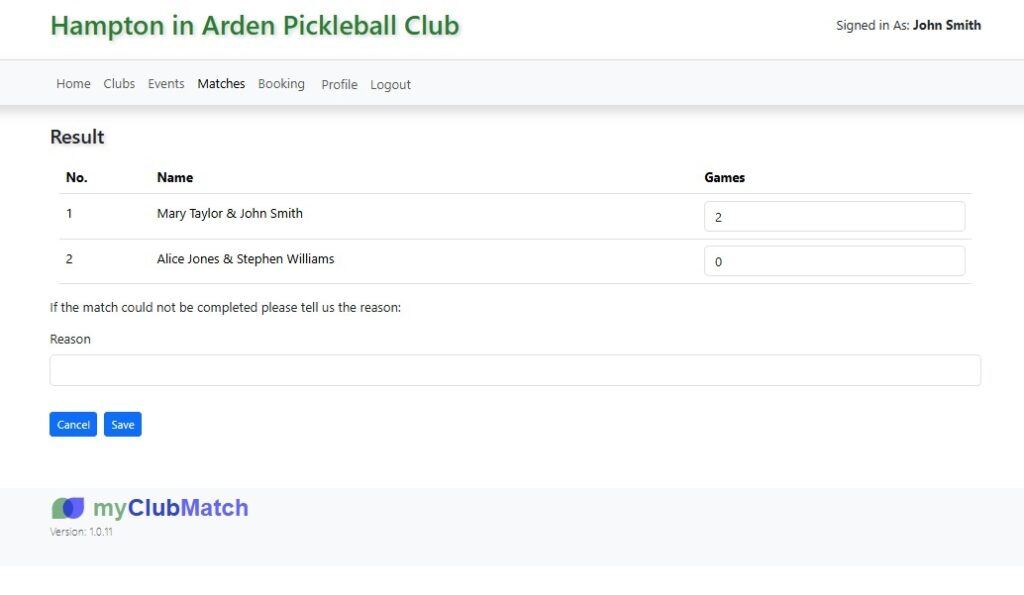
Enter the games into the input boxes on the right next to the names. When you have finished press ‘Save’.
Switching Clubs
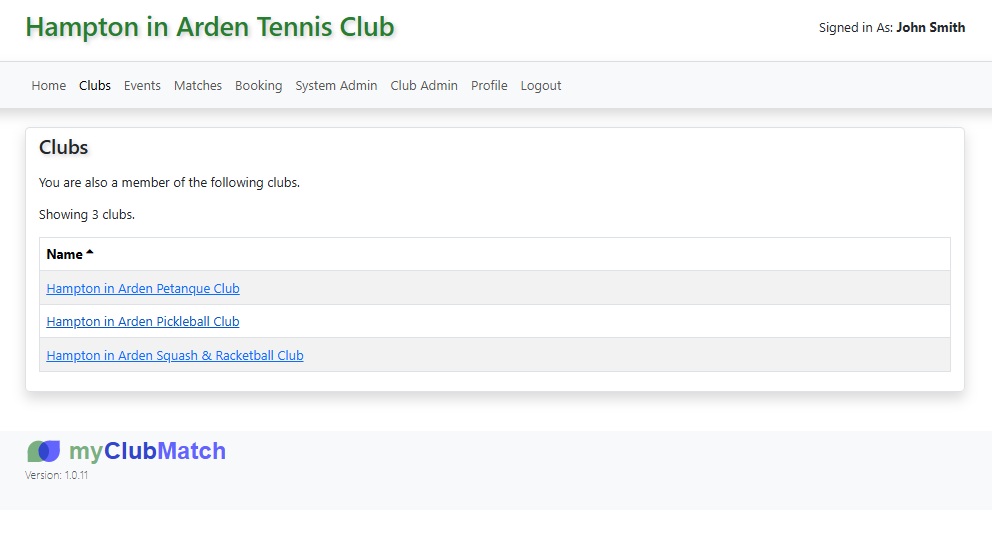
Each user in myclubmatch.com may belong to more than one club. Logging in using the form on the home page will log you into your ‘default’ club. For most people, this will be Hampton in Arden Tennis Club. To log in to a particular club, follow the links below:
Hampton in Arden Pickleball Club
You can switch club after logging in. Click on the ‘Clubs’ menu item and select the club you want to switch to.